|
|
|
|
|
|
|
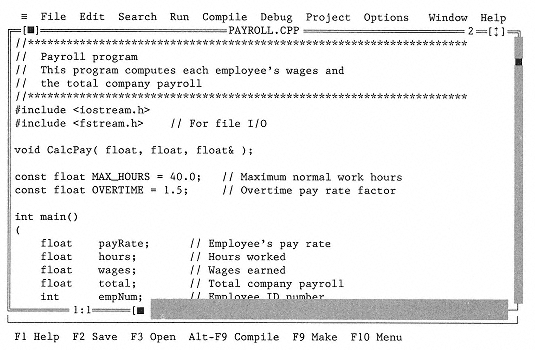
Figure 2-5
Display Screen for Screen Editor |
|
|
|
|
|
|
|
|
source program with messages from the compiler inserted into it. Usually the messages indicate errors in the program that are preventing the compiler from completing the translation. Other systems just display the first error in the program and automatically bring up the editor with the cursor positioned at that point. |
|
|
|
|
|
|
|
|
If the compiler finds errors in your program (syntax errors), you have to determine their cause, go back to the editor and fix them, and then run the compiler again. Once your program compiles without errors, you can run (execute) it. |
|
|
|
|
|
|
|
|
Some systems automatically run a program when it compiles successfully. On other systems, you have to type a separate command to run the program. Still other systems require that you specify an extra step called linking between compiling and running a program. Whatever series of commands your system uses, the result is the same: Your program is loaded into memory and executed by the computer. |
|
|
|
|
|
|
|
|
Even though a program runs, it still may have errors in its design. The computer does exactly what you tell it to do, even if that's not what you wanted it to do. If your program doesn't do what it should (a logic error), you have to go back to the algorithm and fix it, and then go to the editor and fix the program. Finally, you compile and run the program again. This debugging process is repeated until the program does what it is supposed to do (see Figure 2-6). |
|
|
|
|
|