|
|
|
|
|
|
|
Problem-solving case study Absenteeism Pattern |
|
|
|
|
|
|
|
|
Problem: Management wants to see the patterns in absenteeism across each department for a week. The absentee figures are kept in a file named dataFile. Each data line contains the daily figures for departments A through F. |
|
|
|
|
|
|
|
|
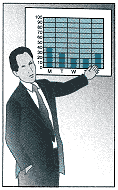
The output must be in the form of a table showing the number of employees absent in each department each day and the percentage difference (+ or -) from each department's weekly average. In addition, they want a summary of absenteeism across the entire company for a week. This summary is to be in the form of a bar chart showing what percentage of the total absences occurred on each day of the week. |
|
|
|
|
|
|
|
|
Input: Five lines of absentee data, each line containing the number of people out for each of six departments. |
|
|
|
|
|
|
|
|
Output: A file reportFile containing two items: a table showing absentee figures and percentage differences from the average for each day of the week, by department, and a bar chart showing the percentage of total absenteeism that occurs on each day of the week. |
|
|
|
|
|
|
|
|
Discussion: Each data line contains the daily absentee figures for every department. The figures must be read in and stored in a table. Once the table has been created, we can calculate the average absentee rate for each department. We can use the table and the averages to calculate the percentage difference. |
|
|
|
|
|
|
|
|
The first step is to decide what the table that holds the input data should look like. We can make the departments the columns and the days the rows or vice versa. There are only six departments now but the company is growing, so it might be better to make the days of the week the columns and the departments the rows. Then we could alter the program to run with more departments simply by adding a row for each. It is easy to add rows to a table; adding columns can cause a problem with printing because the width of a print line or screen is fixed. |
|
|
|
|
|
|
|
|
As the data are read, they are stored into an array having the structure shown in Figure 13-12. |
|
|
|
|
|
|
|
|
Finding the average for each department requires row processingsumming the row components and dividing by 5. Comparing each day's |
|
|
|
|
|