Morse Code Training (25+ wpm)
Abstract
Here is a way of improving Morse Code proficiency at speeds above 25 wpm. It involves the application of some files and tools in exercises to get (1) to higher accuracy and (2) to higher speeds in conversational QSOs.
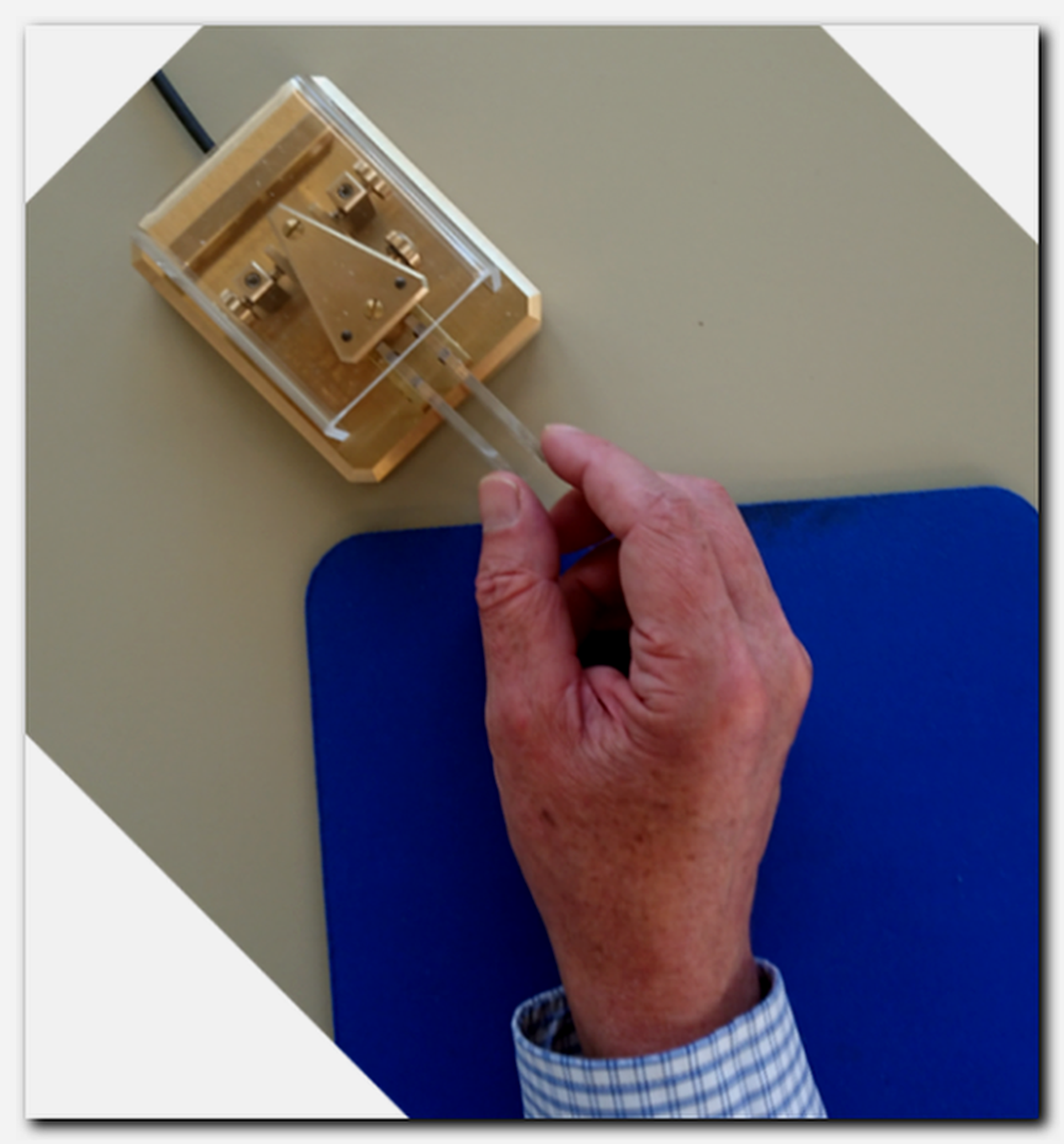
The main idea is to keep the exercises as close as possible to real–world
conversational QSOs. While sending, I am not reading my message from a screen or
from a sheet of paper. While receiving, I don't write down a message sent to me.
Consequently the exercises are audio–only. An audio stream of one or several
spoken words is used when training sending. A stream of Morse Code audio is used when
training receiving. Once an exercise is started, it will continue until stopped —
there is no need for any user interaction.
Lists of Words
To support the improvement in Morse Code (sending/receiving), the Randomized Lists of Common English Words[3] are provided. The lists of words in the zip–archive are plain text files (encoding format UTF-8).
The lists are based on the 2809 words of The New General Service List NGSL[1] by Browne, C., Culligan, B. & Phillips, J. — a "...word list of the most important words of general English and daily life for second language learners." NGSL[1].
The word lists "B..." combine all words of The New General Service List NGSL[1] with words from The TOEIC Service List TSL[2] by Browne, C. & Culligan, B. (TOEIC: Test of English for International Communication).
![Listing of TXT-Files contained in the archive:
DF7TV Morse Code Training
Randomized Lists of Common English Words
[Revised June 1, 2026]
1.) Most Frequent Words
eleven files
A01: first 100 words of the NGSL
to
A28: all 2809 words of the NGSL
three files
B31: 3100 words of the NGSL and TSL
to B40: 4000 words of the NGSL and TSL
2.) By Length
eight files
K03: 2 to 3 letters, 177 words of the NGSL
to K10: 3 to 10 letters, 2629 words of the NGSL
3.) For Training Sending
six files
T01: 3 to 9 letters, 2400 words of the NGSL, IN 2400 lines of 1 word
to T06: 3 to 9 letters, 2400 words of the NGSL, IN 400 lines of 6 words](DF7TV-Morse-Code-Training-Lists-of-Words.png "TXT-Files of the archive DF7TV-Randomized-Lists-of-Common-English-Words.zip")
- The "A...", "B..." and "K..." files contain one word per line.
- The "A..." files contain increasing numbers (100, 200, 300, ..., 2809) of the most frequent words.
- The "B..." files combine all 2809 words of the NGSL[1] with 291/691/1191 words from the TSL[2].
- The "K..." files only contain words of a certain minimum and maximum length (number of letters) as reflected in their complete names.
- The "T..." files form six different arrays of 2400 words of the NGSL[1]. The "T..." files are used only for training sending.
Training
- Training sending is aimed at achieving accuracy and a pleasant flow of the code. This involves maintaing a negligible error rate and standard Morse Code timing. Listening to lots of error–free and perfectly timed code, gives a hint to what should be achieved.
- One part of training receiving Morse Code is vocabulary building.
To increase the range of recognized words, I first listened to a file containing
the 100 most frequent English words "A01...". After a while I felt that I would like to
increase the range of words, so I went to the "A02..." file ...and so on.
From "A03..." on, the "all-inclusive" files "A..." contain already some quite long words (like the 11–letters word information) — the "K..." files allow to select the maximum length of words.
Another important part of training receiving is to listen to continuous texts. Morse Code audio books (E-books) or CW QSOs are suitable for that part. -
Training Companions[4] (example of use shown) accompany me during training
periods of up to eight weeks (WK). In the top table the status at the start date of a
training period; in the lower table changes during the period are marked down.
For each day of a training period, the central table contains three cells — a
first to indicate a sending exercise, a second to indicate a receiving exercise,
and a big one for a check mark.
A Training Companion is set up before the start date of a training period. Challenging, but not frustrating exercises and training speeds are chosen according to the present skills. The main area of interest for the training period — accuracy, vocabulary building or speed — being considered as well.

- A training session consists, first, of training sending and
then, second, of training receiving. I begin with a preparatory warm–up exercise for
sending at the present TX Training speed.
I then continue with the sending exercise indicated in the Training Companion for
the present day. I work on sending with the indicated
"T..." file (converted to speech–file) for about 15 minutes.
Then I train receiving. I begin with a preparatory exercise RX Training Prep. This exercise is done for about three minutes and at a speed of 5 to 15 wpm higher than the present speed for the (standard) RX Word Training. An "A..." or "K..." file is chosen for this preparatory exercise, that allows, now and then, to copy a word at the elevated speed. Then I continue at the present (lower) standard training speed with an exercise as indicated by the Training Companion. For about 15 minutes, the exercise is either one of the files "A...", "B...", "K..." or to listen to a continuous Morse Code audio book (EBK).
For the exercises indicated by "EBK", plain text files (edited passages of books etc.) are converted to Morse Code audio book files (.mp3) using the program ebook2cw[9] by Fabian Kurz, DJ5CW. - The archive DF7TV Morse Code Training Companion[4] contains blank templates in various file formats and an example of use for the Training Companion. A printout of my present Training Companion is placed on my desk as "gentle reminder". It's a daily pleasure, after having done the planned exercises or after a number of QSOs at the present speed limit, to insert a check mark.
- Please let me know if you have any questions, I’d be happy to help.
Training Sending Morse Code
To prepare for the daily training, a Sending Practice Warm–Up file[5] is used. After a while, I knew all lines of the Warm–Up file by heart. Since then I do this exercise without looking at the document. An improved sending of the sentence "The quick brown fox..." when it occurs for the second time further down the document — That's the main purpose of this preparatory exercise.
![Shown is the text of a short drill message:
DF7TV Morse Code Sending Practice Warm-Up
[Revised June 1, 2026]
Characters for dual-lever paddle squeeze-keying (Iambic mode A or B):
R, L, C, Y, F, K, Q, <AR>, <AS>, <KN>, <SK> and period (.)
VVV VVV VVV DRILL =
FR5KCY OP GABRIEL QTH SALAZIE RIG K2 ANT VERTICAL =
THE QUICK BROWN FOX JUMPS OVER THE LAZY DOG =
1 2 3 4 5 6 7 8 9 0 = ? / . , =
ALFA BRAVO CHARLIE DELTA ECHO FOXTROT GOLF HOTEL
INDIA JULIETT KILO LIMA MIKE NOVEMBER OSCAR PAPA =
QRL? QRL? QRL? = CQ CQ DE TM75PAR TM75PAR PSE K =
FR5KCY DE TM75PAR 5NN BK = QRM PSE QSY 7018 KHZ =
<AS> <KN> <AR> <SK> =
1 2 3 4 5 6 7 8 9 0 = ? / . , =
THE QUICK BROWN FOX JUMPS OVER THE LAZY DOG =
<AR> <SK>](DF7TV-Morse-Code-Sending-Practice-Warm-Up-Sample.png "DF7TV Morse Code Sending Practice Warm-Up File")
After the warm-up, I continue to train sending Morse Code by listening to a spoken word (or to a sequence of spoken words) and then sending it. Speech–files DF7TV-T-2400-Words-NGSL-Vocalized-MP3[6], based on the "T..." files, are provided for that purpose. The speech–files include long pauses for training sending.

For playback of these speech–files, an audio player saving the playback state (currently played track and position) when closing and resuming on next start–up is advantageous (e.g. foobar2000, Musicolet or AIMP). During a training session, I first listen completely to a single word or to a sequence of several words. Then, during the long pause (silence), I — once only — try to send it (or them) as accurately as possible. Short samples from the speech–files:
| Description | Play MP3 |
|---|---|
| "T01..." for single–word training | |
| "T02..." for training sequences of two words | |
| "T03..." for training sequences of three words | |
| "T04..." for training sequences of four words | |
| "T05..." for training sequences of five words | |
| "T06..." for training sequences of six words |
The article Using a Dual–Lever Paddle[7] by Chuck Adams,
K7QO shows some techniques that can be used for sending the International
Morse Code with dual–lever paddles.
Training Receiving Morse Code
Ditto CW Player[8] by Billy Francisco, WB1LLY is an outstanding Android Morse Code player app to train the receiving of Morse Code. The "A...", "B..." and "K..." files of Randomized Lists of Common English Words[3] may be saved as ADDED files via Ditto CW's menu Exercise selection - ADDED - ADD NEW FILE.
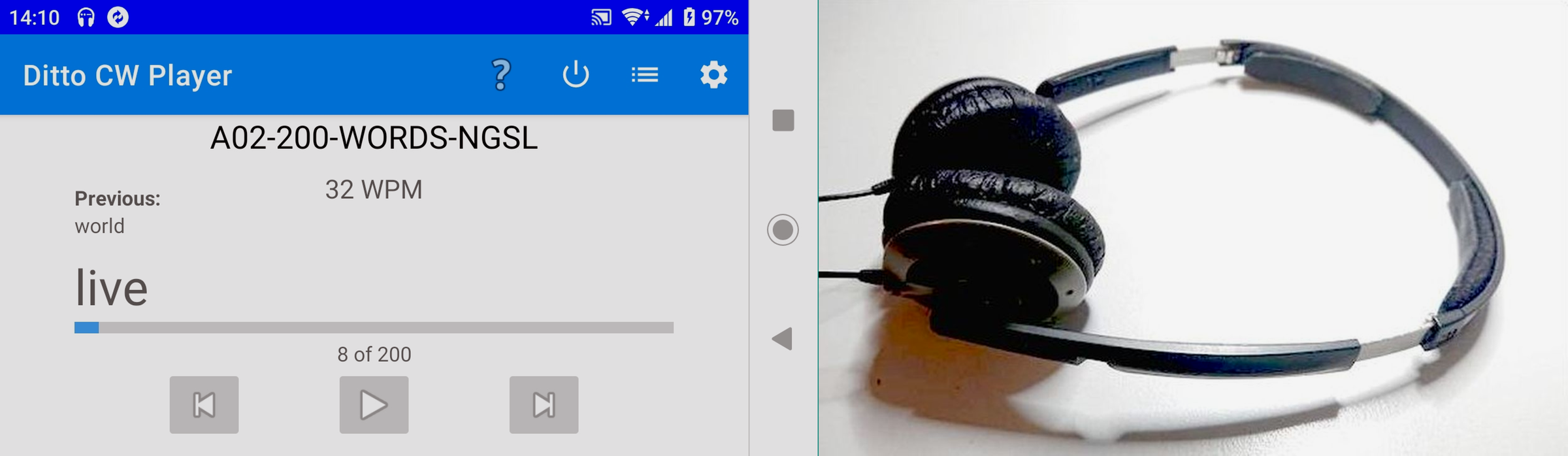
During a training session I listen (twice) to the code, try to recognize the word, then Ditto CW Player[8] will speak the word and, finally, play the code once again.
Here is a short recording of the output of Ditto CW Player[8]. Practice file is "A02-200-WORDS-NGSL.TXT" at a speed of 35 wpm:
Apart from the training of single words, listening to a continuous and
meaningful stream of code (Morse Code audio books or QSOs) is a
very rewarding exercise.
A short text passage of the book The Art and Skill of Radio Telegraphy (ASRT) by William G. Pierpont, N0HFF (2002) concerning overlearning has been edited (e.g. replacement of most of the punctuation marks by appropriate numbers of spaces) and then converted to Morse Code audio using ebook2cw[9]. This audio file is an example of a continuous and meaningful stream of Morse Code at 28 wpm:
The same text passage — this time at 35 wpm:
Major parts of N0HFF's book The Art and Skill of Radio Telegraphy (ASRT)
have been considerably edited (first by Chuck, W5UXH, then by myself) in a way that,
when converted to Morse Code audio by ebook2cw[9], the audio file provides a
pleasant flow of Morse Code. Just like in a real–world conversational QSO.
The according UTF-8 encoded txt–file is provided as archive
N0HFF-ASRT-2002-edited-UTF-8.zip[10].
WF3T, Steve is so kind to provide daily Recordings of the CRSnet[11]
high speed CW conversations. They make for a nice change.
Finally...
There is no magic bullet for improvements in Morse Code proficiency.
So I just enjoy having QSOs and doing exercises.
I would like to express my deepest appreciation to Keith Chambers, G0HKC and Christian M Bravo, W4ALF for being my advisors in CW Academy[12] courses in 2020 and to Christopher Mason, G4UZE for proofreading of the August 2023 version of this page.
CU 73
Tom
References
(Links will open in new windows/tabs)-
[1] Browne, C., Culligan, B. & Phillips, J.: The New General Service List (NGSL)
(https://www.newgeneralservicelist.com/new-general-service-list) -
[2] Browne, C., & Culligan, B.: The TOEIC Service List (TSL)
(https://www.newgeneralservicelist.com/toeic-service-list) -
[3] DF7TV-Randomized-Lists-of-Common-English-Words.zip
(https://www.qsl.net/df7tv/download/DF7TV-Randomized-Lists-of-Common-English-Words.zip) -
[4] DF7TV-Morse-Code-Training-Companion.zip
(https://www.qsl.net/df7tv/download/DF7TV-Morse-Code-Training-Companion.zip) -
[5] DF7TV-Morse-Code-Sending-Practice-Warm-Up.pdf
(https://www.qsl.net/df7tv/download/DF7TV-Morse-Code-Sending-Practice-Warm-Up.pdf) -
[6] DF7TV-T-2400-Words-NGSL-Vocalized-MP3.zip
(https://www.qsl.net/df7tv/download/DF7TV-T-2400-Words-NGSL-Vocalized-MP3.zip) -
[7] Chuck Adams, K7QO (2013): Using a Dual-Lever Paddle (pdf)
(Retrieved August 16, 2023, from https://archive.org/) -
[8] Billy Francisco, WB1LLY: Ditto CW Player
(https://play.google.com/store/apps/details?id=com.billyfrancisco.dittocw) -
[9] Fabian Kurz, DJ5CW: ebook2cw
(https://fkurz.net/ham/ebook2cw.html) -
[10] William G. Pierpont, N0HFF (2002): ASRT; Edited Input File (txt) for ebook2cw
(https://www.qsl.net/df7tv/download/N0HFF-ASRT-2002-edited-UTF-8.zip) -
[11] Steven G. Steltzer, WF3T: Recordings of the CRSnet
(https://streammyaudio.com/archive) -
[12] CW Academy
(https://cwops.org/cw-academy/)