MY EXPERIENCES WITH WSPR (WHISPER)
(2010)
KLIK HIER VOOR DE NEDERLANDSE VERSIE

Little Toe power and way too cold toes!
The PC has made it possible to work with much less than "Barefoot Power"!
PC with sound card
Wintertime! With much too cold bare feet and much too cold, red, stiff toes on the much too cold floor of the shack to prevent PC problems caused by static electricity! We want Little Toe Power!
With the help of a PC with a sound card and a frequency-stable receiver, we can nowadays receive much weaker signals than in the past. All modes intended for working with weak signals are based on the same principle. They work with long tone lengths, allowing you to use very narrow bandwidths. For QRSS signals (Morse code at a very low speed), a dot lasts as long as 6 seconds. And for the digital mode WSPR, the tone length is 0.68 seconds. A disadvantage is that you need a very good frequency stability of the transmitter and the receiver. But are these new modes really so much better than that old-fashioned CW? No! Data transfer with ordinary Morse code is much faster. At 12 words per minute, a dot length is only 0.1 seconds, whereas with QRSS, this is 60 times longer! With standard Morse code, you can transmit a lot of information, even entire stories such as news bulletins. That is not possible with the special low-power modes. In fact, these are nothing more than simple beacon transmissions. The only information that is transmitted is the call sign, possibly supplemented with the QTH locator and the transmit power, nothing else. The exciting part of course, is where in the world that weak signal is received. Even very weak, because that Little Toe Power signal can be 50x to 100x lower than a standard Morse signal!
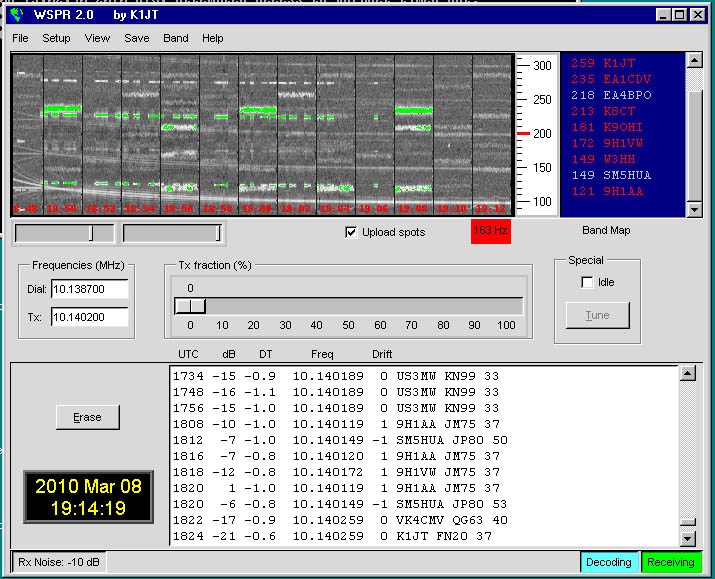
The WSPR screen
WSPR
The abbreviation WSPR (pronounced Whisper) stands for Weak Signal Propagation Reporter. Just like QRSS beacons, it is a mode designed to work with weak signals. The WSPR software was developed to investigate potential radio propagation paths using low-power beacon transmissions. It is a mode that utilizes modern techniques. Your transceiver is connected to the PC's sound card and optionally the RS232 connection. The WSPR software handles everything. For 20% of the time, you transmit your callsign and QTH locator in low-power WSPR mode. For the remaining 80%, you receive other WSPR stations. The intention is to upload the reception results to a database on the WSPRnet site (but if you do not want that, it is not necessary). On the WSPRnet website (http://wsprnet.org), you can check the database to see where your station has been received, complete with a signal-to-noise report and other data such as frequency drift and time error of your signal. In the database you can also see which stations you have received. You can make these data visible on a world map and so it it is easy to see how the worldwide propagation is.
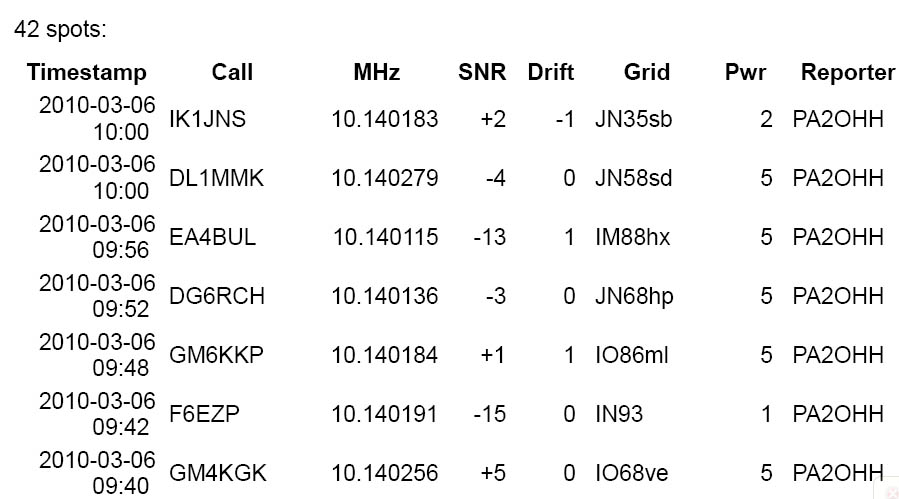
Database with reception results, see http://wsprnet.org
and select "Database" right above on the screen.
Not a Fuzzy mode
Murray Greenman (ZL1BPU) explains what Fuzzy modes are on his website. These are modes where you have to determine yourself what kind of characters or text are received. You have to decode SSB and CW signals by ear from the noise and interference. With QRSS signals (Morse code at a very low speed), the PC performs the digital signal processing and displays these signals and the noise on the screen, but you have to visually decipher the Morse signals on the screen from the noise. For example, you have to decide whether it is interference or a dot or dash of the Morse character. WSPR is not a fuzzy mode; the PC not only performs the digital signal processing but also decodes the signals and prints them out in readable text.
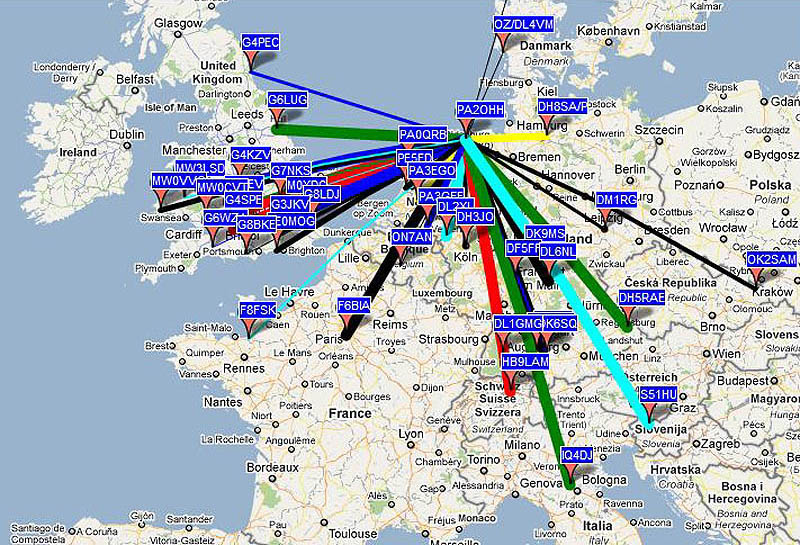
You can even display the results on a world map. Today, only local conditions.
But often, stations from all parts of the world can be received.
How does WSPR work?
WSPR works with tones with a length of 0.68 seconds. There are 4 different pitches (4 frequency shifts), but the difference is minimal—just 1.46 Hz! You cannot hear this difference. A WSPR signal therefore sounds like a continuous tone. A standard WSPR beacon transmission consists of a call sign, a QTH locator, and an indication of the transmit power. This message has a length of 50 bits. The fact that you can receive weak WSPR signals is not achieved solely through the long tone lengths. The 50-bit message is supplemented with no less than 112 bits, which is even more than twice the number of bits in the original message. In total, therefore, not 50, but 162 bits are transmitted. And with these extra bits, it is possible to detect and correct all kinds of errors in the 50 bits of the standard message. Similar techniques are used to correct errors in the data in the memory and on the hard drives of our PCs.
And the bitorder is also changed to improve the error correction for interferences of the signal due to long fading periods. One long, uncorrectable error is converted in many short, correctable errors of the signal.

WSPR signal structure
Synchronisation signal
Of course the PC must be able to locate the beginning of the signal. For this purpose, a 162-bit synchronization signal is transmitted simultaneously with the message. This is a fixed, and therefore known, 162-bit bit pattern. Because the WSPR signal consists of 4 frequency shifts, it is possible to separate the message from the synchronization signal. What the PC must do is perform digital signal processing and then search for synchronization signals. Of course, there are also disturbances, but when large parts of the audio signal correspond to the synchronization signal, you can expect it to be a WSPR signal. Then the message is decoded and the errors (if possible) are corrected. If the message contains uncorrectable errors, it is not decoded further. Therefore, only messages whose errors were correctable are displayed.
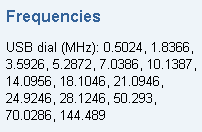
Hardware and frequency spectrum
For each band, a 200 Hz wide segment of the spectrum is allocated. A WSPR signal is only 6 Hz wide, so 33 WSPR transmitters fit within it. And because a WSPR station transmits only 20% of the time and receives 80% of the time, the total number of transmitters that can be active in such a band-segment is five times as many, or 165.
For the 10 MHz band, the WSPR band lies between 10140.1 kHz and 10140.3 kHz. Because WSPR operates with an audio bandwidth of 1400 Hz to 1600 Hz, your receiver (or, in the case of a Direct Conversion receiver, your local oscillator) must be tuned to 10138.7 kHz (±20 Hz), or 1400 Hz lower than 10140.1 kHz. Unfortunately, I do not have a transmitter, but fortunately, I do have a receiver. I used the improved QRSS receiver for this (see elsewhere on this website) and tuned the crystal oscillator to 10138.7 kHz by modifying the 10 pF value of the series capacitor with the crystal. Coincidentally, this receiver is designed for an audio frequency of 1500 Hz, so right in the middle of the audio band from 1400 Hz to 1600 Hz.
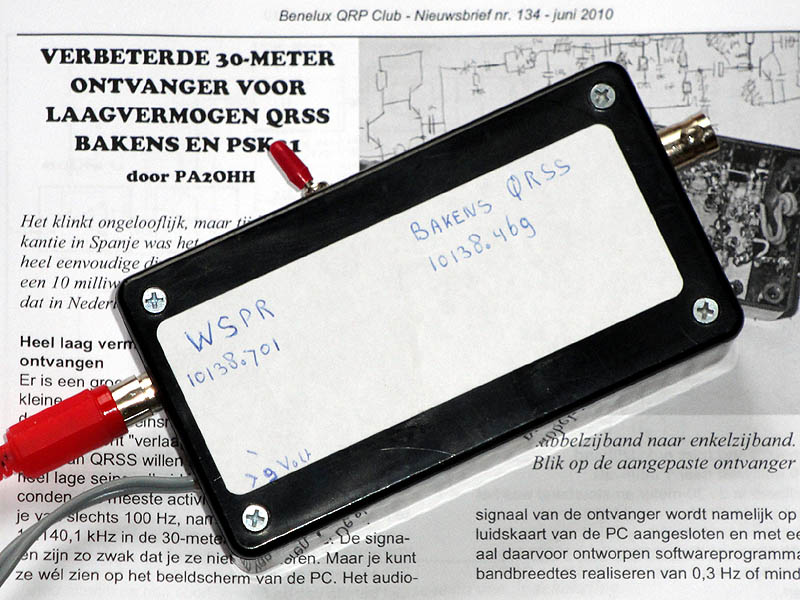
The receiver for QRSS signals and WSPR. For WSPR reception
the local oscillator is tuned to 10138.7 kHz ±20 Hz.
Time synchronization
The hardware is now complete; the WSPR software program is running on the PC. The software comes with a comprehensive manual containing much more information than mentioned in this article, which also explains in detail how the WSPR signal is structured. A PC with a clock speed of 1500 MHz is required. However, the program also runs fine on my PC with Windows 98 and a clock speed of 1200 MHz.
But WSPR transmissions operate in 2-minute blocks. So, before you start WSPR reception and transmissions, your PC clock must be running precisely on time (a deviation of ±2 seconds is still acceptable). The WSPR manual explains how this can be done automatically via the internet. However, I use the Radio Controlled DCF77 alarm clock for this. Resetting the clock twice a day is sufficient.
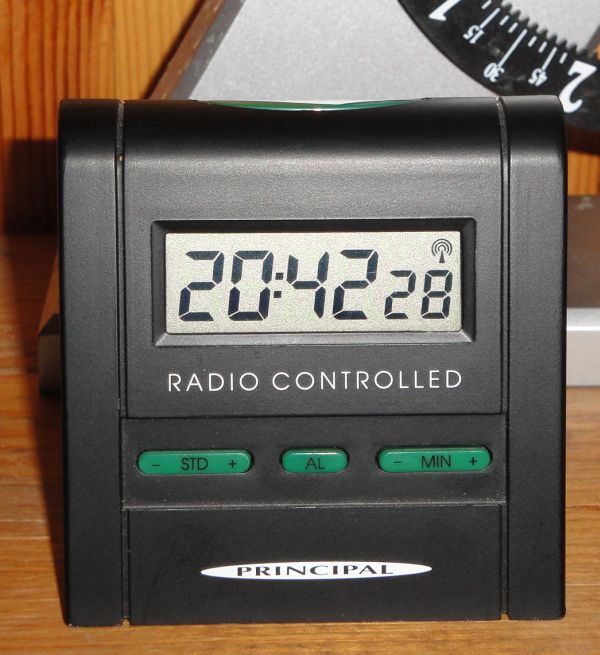
Radio-controlled DCF77 clock for time synchronization
WSPR signals are displayed on the screen!
Enter the frequency 10.138700 MHz for "dial" and 10.140200 MHz for TX, even if you are only receiving. If you are only receiving and not transmitting, set the "TX fraction" slider to 0, otherwise set it to 20%. Under setup, you also need to enter your callsign "PA2OHH" and your QTH locator "JO33", even if you are only receiving. After a while, the text "Waiting to start" in the text box at the bottom left will change to "Receiving".
Adjust the audio level so that the RX Noise (textbox left below) is between -10 dB and +10 dB. Remove the "Idle" sign and after a few minutes the stations will be displayed. It becomes however really interesting when you do activate "Upload spots" and your PC does have an internet connection. The stations that you do receive are uploaded to a central database that you can display via internet. In this database you can select that you only want to see the station you have received and there are many more selection criteria. The station you have received can also be made visible on a world map. During the daytime, my receiver is switched on quite often and then I can see everywhere (on my work for example), in the database which stations I have received. And when you also transmit in WSPR, you can look in the database where and who did receive your WSPR signal. Most WSPR signals are 5 watt or less and have been received wordldwide. Nice! In the database, also a reception report is displayed as signal to noise ration. WSPR signals can be decoded by a signal to noise ratio of -28 dB. When your report has a signal to noise ratio of -8 dB, the signal can be reduced by 20 dB or 100x in power. And some more data is displayed in the database: frequency, frequency drift, time error, power, direction and distance.
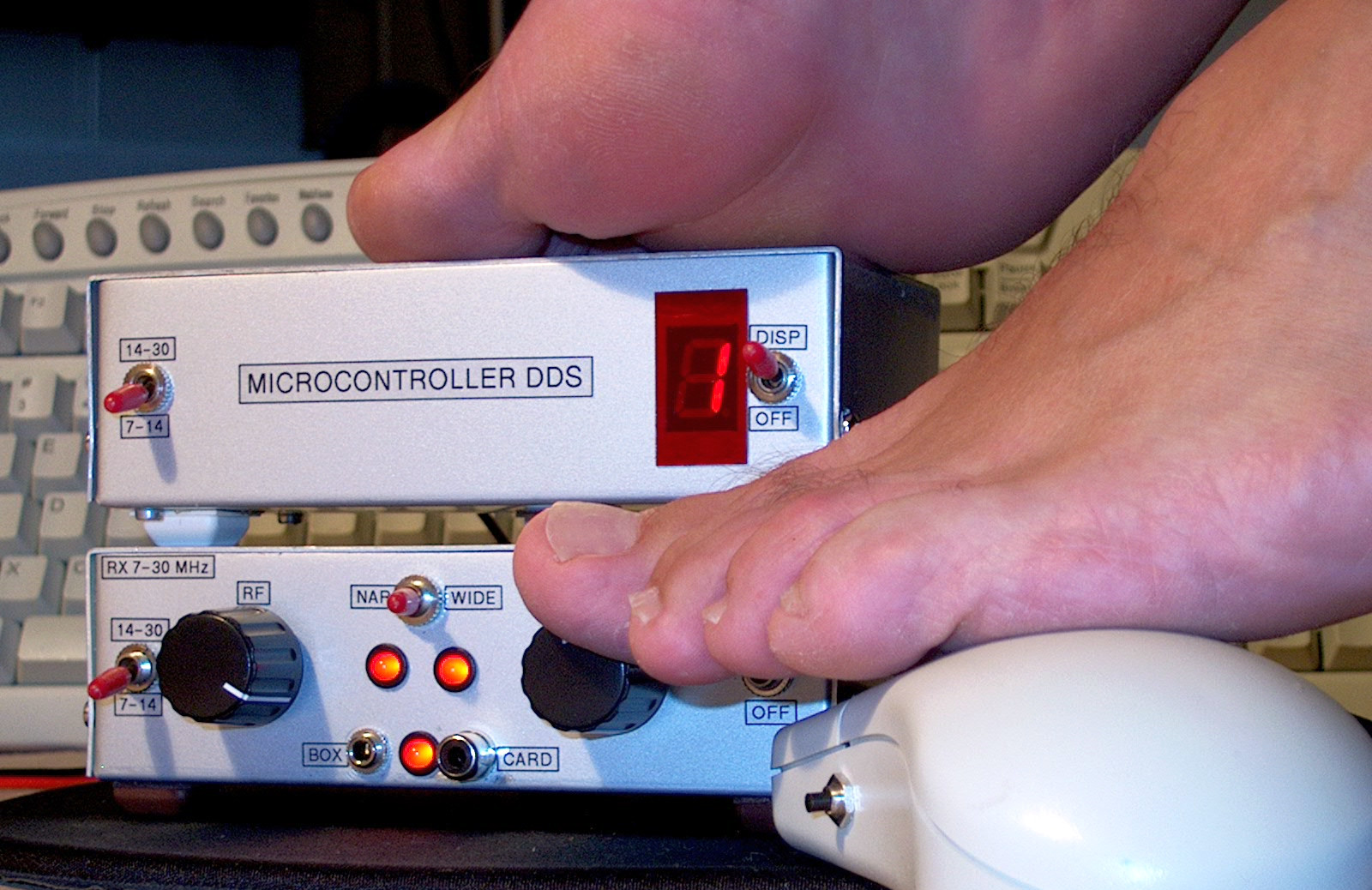
Another very simple receiver that can receive WSPR on other amateur bands!
Barefoot with far too cold toes to prevent damage caused by static electricity!
Dr. Joe Taylor, K1JT
We have to thank Dr. Joe Taylor (K1JT), a Nobelprice winner and professor for this digital mode. He has designed more digital modes like WSJT, that is used for moon bouncing. On internet you can find much more information about Joe, his work and the digital modes.
Index PA2OHH