| Download the zip and unpack into a directory of your choice, or create a new one. If you have created a shortcut, double click on the locator icon |
 |
|
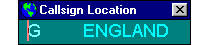
| After the program loads, if this is the first time that you have run it, you will be presented with the following screen in the top left hand corner of your monitor. Drag the prefix screen to where you want it, it will 'remember' where you leave it and start there next time. It is always resident on top of all other programs. |
 |
|
Using the Prefix program |
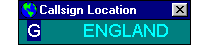
| Double click on the 'G' part of the display and it will be highlighted. |
 |
|
| If you press delete, the Prefix screen will shrink to it's smallest size. The Prefix screen always resizes its width as required. |
 |
|
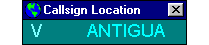
| As an example I will enter the prefix VP8G, this will show how the program works, enter the 'V' and the display will change to |
 |
|
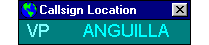
| The program has searched it's prefix list and displayed the first entry beginning with 'V', which is Antigua. Enter the 'P' and the display changes to |
 |
|
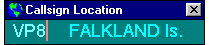
| The first entry in the prefix list beginning with 'VP' is Anguilla, so now enter the '8' and the display will change to |
 |
|
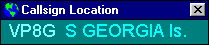
| The display now shows the first entry for 'VP8', which is the Falkland Islands. Now enter the last digit, the 'G' |
 |
|
| The display now shows the location entry for 'VP8G', which is the Island of South Georgia. Entering more digits will not change the display. To identify the next prefix, just double click on the one you just entered and start typing. |
|
Adding/Amending entries to the Prefix list |
| Using a text editor (Notepad or similar), open the location.txt file that was zipped up with the Prefix program. If using Notepad, you will be presented with the following screen, |
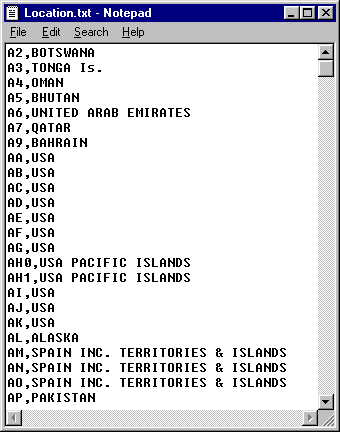 |
| To add or amend entries, just follow EXACTLY the format I have used. If a Countries prefix covers a range of numbers, it is important to enter each one individually to ensure they are found correctly, the USA with AA to AK is a good example. |
|
| The file MUST be saved under the same name and MUST be in the same directory as the Prefix program file. I would recommend making a backup before you start editing, just in case of a typo or crash. If you make changes to the file, email me a copy and I will make updates available on this website. It is not essential to keep the entries in alphabetical order, but it does make the file easier to read. After making changes and saving the file, it is necessary to restart the program for the prefix changes to take effect as the file is only read when the program is started. |
|

 Software