| Download the exe and place in a directory of your choice, or create a new one. If you have created a shortcut, double click on the locator icon |
 |
|
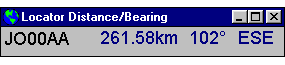
| After the program loads, if this is the first time that you have run it, you will be presented with the following screen in the top left hand corner of your monitor. Drag the locator screen to where you want it, it will 'remember' where you leave it and start there next time. It is always resident on top of all other programs. |
 |
|
Setting up your locator |
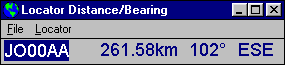
| Double click on the 'Distance' part of the display and a menu bar will appear. |
 |
|
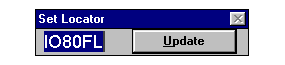
| Click on the Locator menu and the following screen will be displayed. Enter your 6 digit Locator, and click on Update. |
 |
|
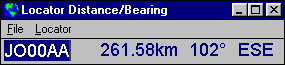
| This will store your locator as the default. You will then return to the screen below. You must exit the program and restart it for the changes to take effect. |
 |
|
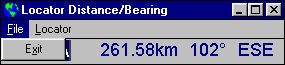
| Clicking on the File menu will present only one option - Exit, self explanatory |
 |
|
Using the program |
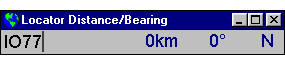
| Simply type in the locator, |
 |
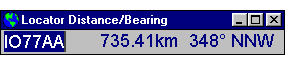
| as you enter the 6th digit the new information will be displayed |
 |
|
| That's it, any problems, let me know and I'll do my best to help. |

 Software