After eventually successfully cloning my Win 7 HDD, it became clear that if I had known in advance about the pitfalls, Things would have been a lot easier.
A chance to put this to the test came when a friend with a clogged up Vista PC asked what could be done about it. Seeing as his hard drive only had about 3 Gb of free space, an upgrade looked to be a promising option. The advantages would seem to be:-
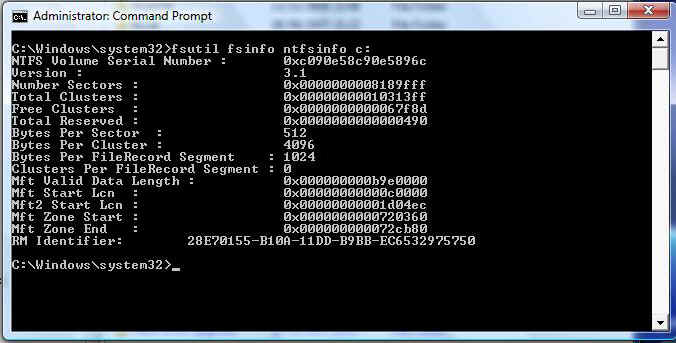
Running FSUTIL on the original disk, before any changes were made to the operating system:-
This is an incomplete description of the disk layout, since it does not report Bytes Per Physical Sector.
Now it's time to apply KB2553708 and update the SATA driver.
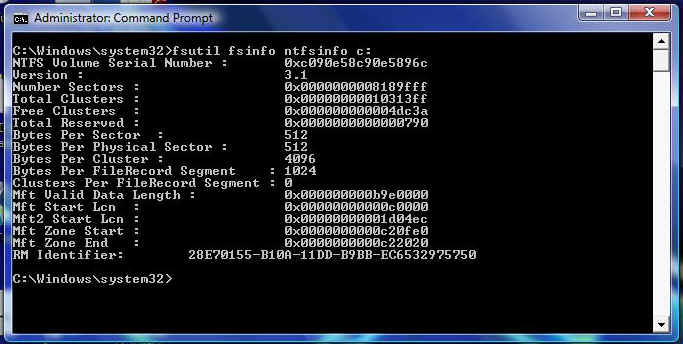
And FSUTIL now shows a more detailed summary of the disk layout:-
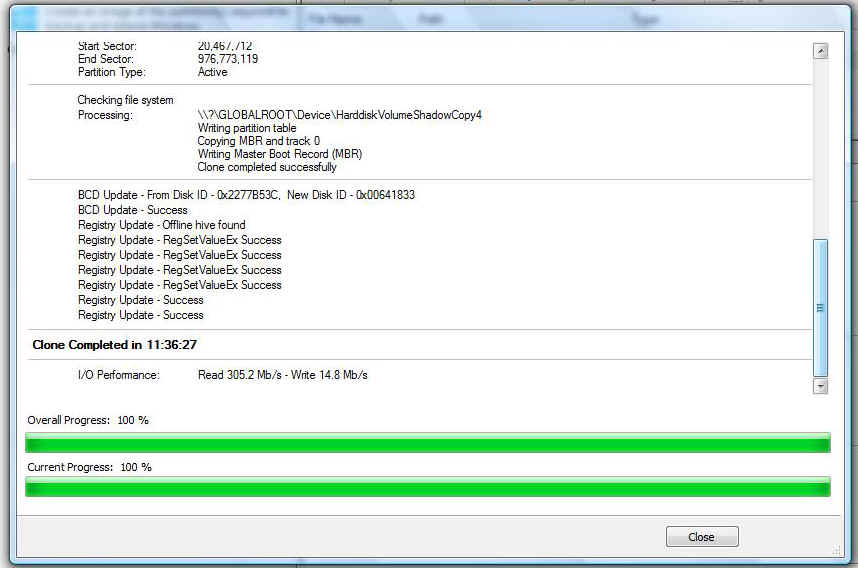
Finally, Reflect reports the successful clone to the new drive.
|
|
I suspect the long clone time (yes that is 11 hours and 36 minutes), was due to the limited memory and disk resources that were available.
|
Anyway, after swapping the disks over and anxiously waiting for the first boot, FSUTIL came up with:-

The relevant part of this display is  which shows that the operating system recognises the advance format HDD and
correctly reports the sector layout. Notice, also, that the volume serial number
is identical to that of the old disk.
which shows that the operating system recognises the advance format HDD and
correctly reports the sector layout. Notice, also, that the volume serial number
is identical to that of the old disk.
