Clacton Radio Club
G3CRC
Setting Up MMSSTV
|
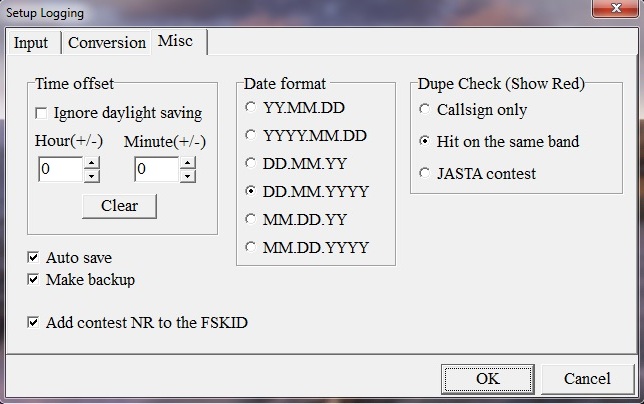
Down Load Program for MMSSTV: MMSSTV Once the program has been down loaded click on Options in the top task bar and select Setup MMSSTV You need to change a few things. In the MISC box make sure you have this set to your sound card, this may vary from shown in this picture. In the TX box enter your com's port. Change the Time length to show 1 and not -1 When you want to send a picture, click on the 1750khz Tone and wait for the K to finish before you click on the TX button you have 30 seconds to send your picture. For more information and help on setting up MMSSTV contact Bill G4OAX e-mail: [email protected] |
|||||
To get to the Setup MMSSTV folders click on the Option tag Then click on Setup MMSSTV |
||||
![]() |
||||
|
In this Misc box select your sound card settings Adjust the Tx offset to 0.00 changing this to -0.75 or + 0.75 will alter the slant on the picture |
||||
|
||||
In the TX box enter your port number Also change the tone bust time length to 1 |
||||
|
||||
![]() |
||||
|
||||||||||||||||||||||||||||||||
Useful Tips
Best modes to use are: Martin 1 for best quality 320 * 256 in 114 seconds to send picture Martin 2 for quicker speed 320 * 256 at 58 seconds to send picture PD 120 Send picture at 640 * 496 in 126 seconds to send picture |
||
Saving pictures in the S. pix boxes The best size to save these pictures is around 350 * 350 Setting up templates in the S. templates tags Choose RX Modes Right click in the mode list and tick the modes you want to show in RX Mode list |
Page Updated 17/10/2026