
4. Setup
With setup you can make global and check the hardware.
Setup allows the setting of the CPU-clock, baudrate and parity of the serial port, the display of the serialnumber and offset-compensation. With SET you select the menu and with the "direction"-keys you change the value. With REC you save the new value permanently.
CPU-Clock:
this does not change the CPU-clock but tells the software, which frequency the actual used crystal oscillator has. The frequency is used by the software e.g. for the timing of the analog - digital converter. This value should only be changed, if at the same time the crystal oszillator and the CPU are replaced. For software release 3.2 a 60 MHz clock is sufficient.Baud/Parity:
this changes the baudrate and parity of the serial RS-232 port. It must be set to the same as the port on the PC.Serialno.:
Displays the serialnumber. This number is stored in the 16F84 processor and is therefor not affected by changig the DSP-Software (replacement of the EPROMS).Offset:
allows automatic compensation of the offset-error of the A/D-converter This function is for maintenance only (but it is not destructive to use it).Bounce:
After pressing > all push buttons (except MODE) and all digital inputs (Mic In: PTT; TRX: TX-kontact) are checked for bouncing. Every change of a push button (press and release) increments the displayed counter by 1. If the counter is incremented by more than 1, then the kontact is bouncing and must be replaced. For the digital inputs (PTT, TX-kontact) sometimes a 0.1 uF capacitor suppresses bouncing.RS232 echo:
Every character received at the RS232-interface is echoed back to the PC. Remember to set Baud and Parity!
Appendix 1 Installation
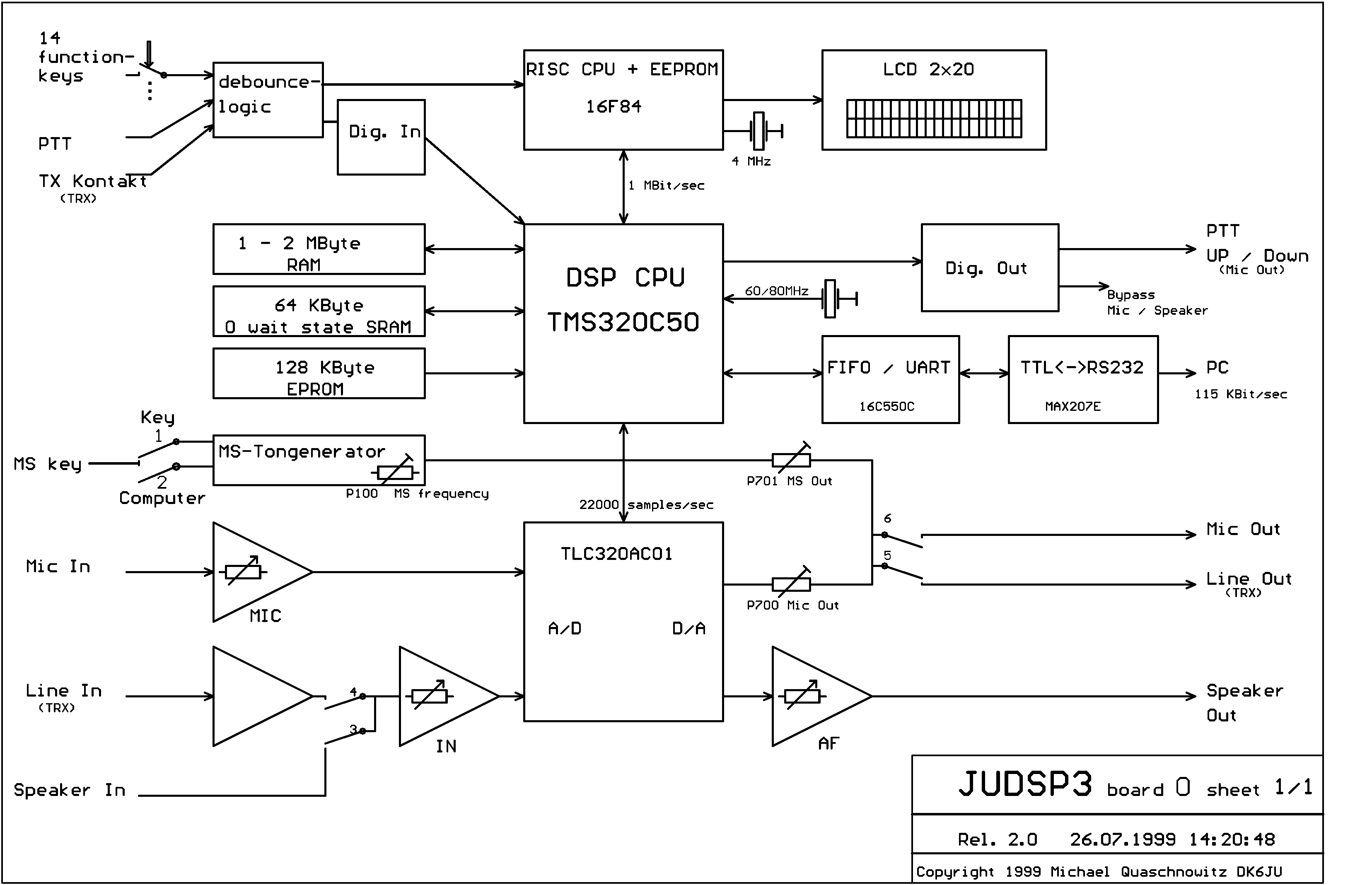
Appendix 2 Blockdiagram-
Appendix 4 Filterdiagram