Amateur Radio Control System for the Kenwood TS-2000 by WB5KIA
You may wish to visit the ARCS II blog: arcsii.wordpress.com to find out more.
ARCS
II 2.09 for the Kenwood TS-2000 (use ARCS III with other brand transceivers-see below). Version 2.09 provides a NEW tool (MS Translate), bug fixes and
enhancements. There are now two loggers, ARCS Log and ARCS Log II. The original ARCS Log will not be available in future versions of ARCS; existing users are encouraged to transition to ARCS Log II.
The regular logger is being enhanced (ARCS Log II). ARCSLog II is the new ARCS 'standard' logger. It has features comparable to
ARTICULATE. ARTICULATE is still part of ARCS II but both
ARTICULATE and ARCS Log will no longer be part of ARCS in future
versions. Note the ARCSLog database is not compatible with the NEW ARCS Log II logger database. Existing ARCS II users of ARCS Log need to convert existing dbf to cds logs to transfer
logs to ARCS Log II format. First create an ADI file using ARCS Log,
transfer the resulting adi file to the ARCS Log II KIALog2/logbooks
folder. Once in the KIALog2/logbooks folder, use ARCS Log II to convert the adi file using Maintenance>Create/Convert tool into an ARCS Log II compatible cds logbook. The *.cds logbook is compatible with ARCSLog II or ARCS III. The database used in ARCS II ARCSLog is directly compatible with ARCS III logs.
If
you need
Version 1.xx speech
Command and Control capabilities or the APRS module, consider ARCS II
1.44 (see below) instead. The APRS module in Version 1 is now a
stand-alone application with the ability to access GPS
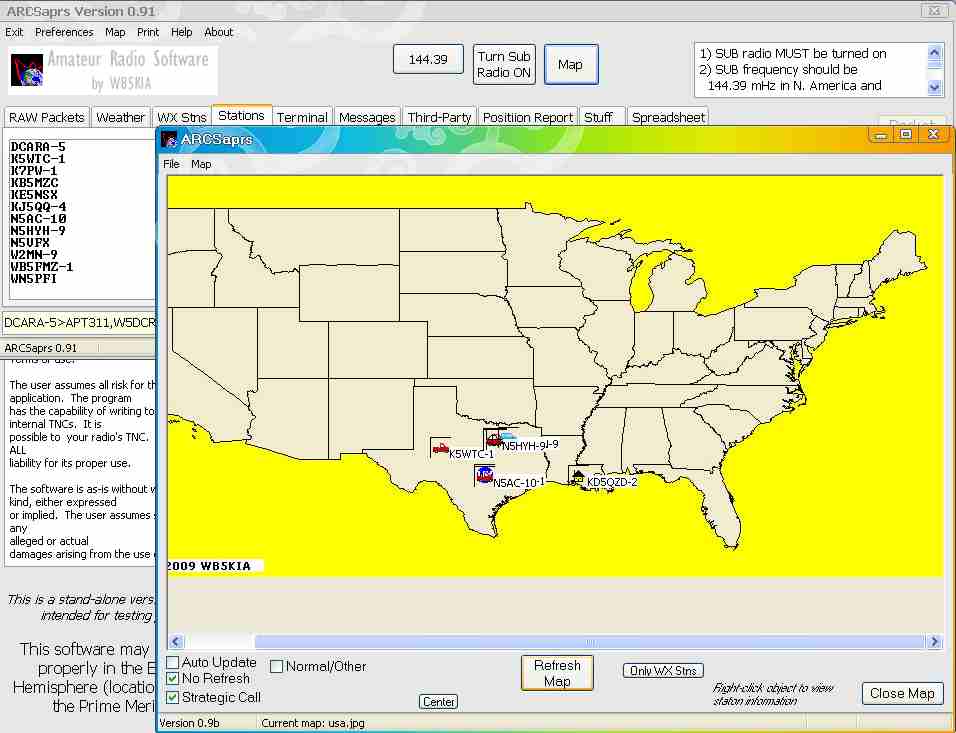
information. ARCSaprs is a separate download .. see below.
DXWeb ... DXWeb is DX spotting software that is an integral part of the ARCS II software for the Kenwood TS-2000 and ARCS III logging software for multiple radios and radios that cannot be controlled by CAT. To get DXWeb, you need to download ARCS II or ARCS III.
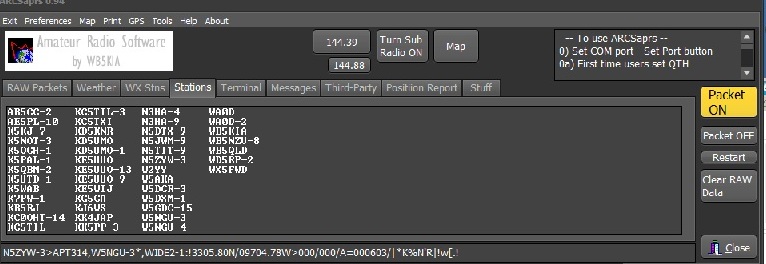
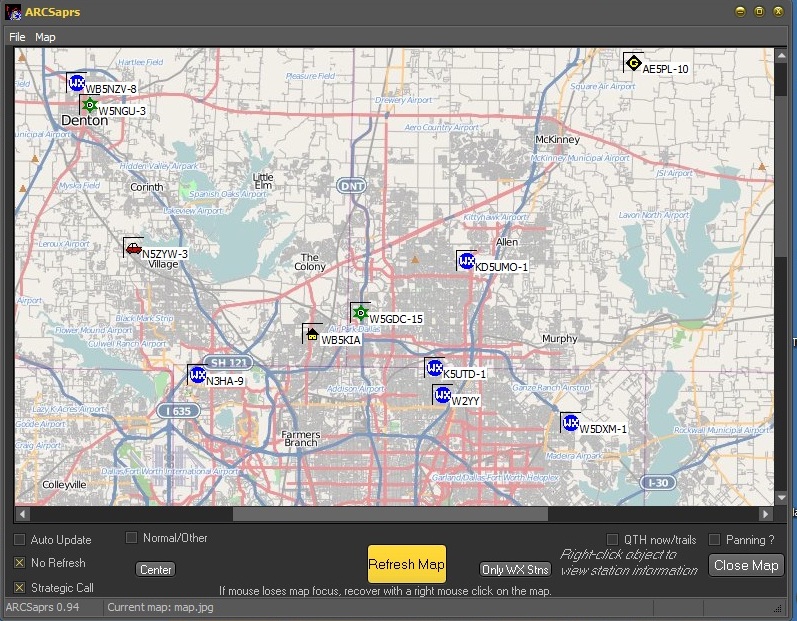
ARCSaprs ... APRS for the TS-2000, experimental software for the Kenwood TS-2000. Download arcsaprs.zip . Versions are posted when enhancements/bug fixes are available. Check arcsii.wordpress.com to find out what version is current. There is no software installation file. Place the folder ARCSaprs in any folder except the Program Files folder
I need reports of success or issues with the software. If you use this, please send me an email describing your results while ARCSaprs is in development. Thanks.
kiaMorse
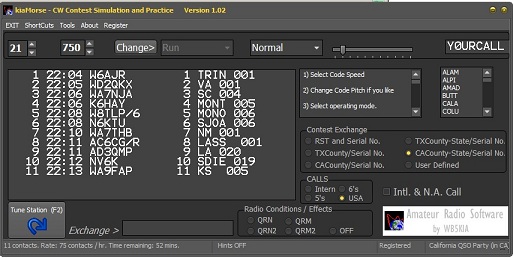
... a CW contest simulator for the California QSO Party, the Texas QSO
Party and other contests. It includes a code practice module.
kiaMorse is part of the Amateur Radio Control System, soon to be linked
to ARCS II and ARCS III but you can use it now. kiaMorse is not a cw
keyboard or cw interpreter, it provides a realistic simulation of CW
contests.
Visit the
ARCS kiaMorse site and download
the free ARCS kiaMorse CW contest
simulator here: kiaMorse page .
ARCS III (Version 1.08) logging software is available for Icom, Yaesu, Kenwood, etc. This software includes many of the ARCS II tools. ARCS III is logging software for most radios (including those that do not allow CAT control). It has LOTS of accessories similar to those in ARCS II. CAT functions available depend on the radio used. ARCS II is still the definative CAT software for the TS-2000.
Version 1.08 has a change that affects previous version users: ARCS log files (*.cds) now reside in the /logbooks folder. Previous users need to move their *.cds logbooks and any *.adi files to the /logbooks folder to get this version to work with your current logbooks.
Check arcsii.wordpress.com for current status of the software and announcements of minor updates. Some of the technology is described in March 2012 QST, "Where is the DX Now?." Figure 1 is from the software.
Download ARCS III version 1.08 from the ARCS
III page here: download version1.08. (10.7 mb install file)
My beta tester Greg reports “I checked out all the maps and the webcluster screens. They all work great and I have to say that the maps are the BEST I have ever seen! I really like having the DX spots show on the map! Graphics are all crystal clear and skins are really cool too.”
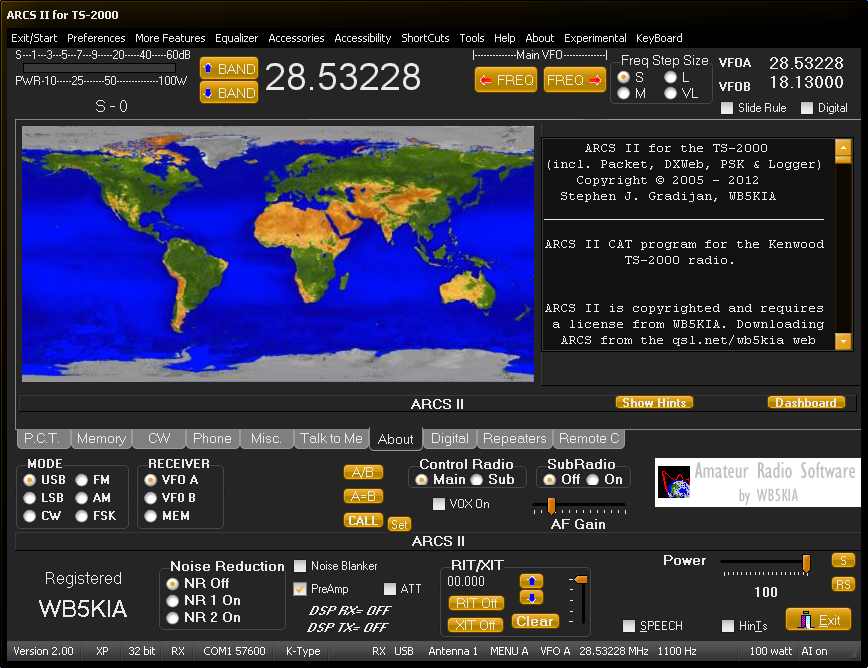
ARCS II version 2.0...one of several operating "styles" available.
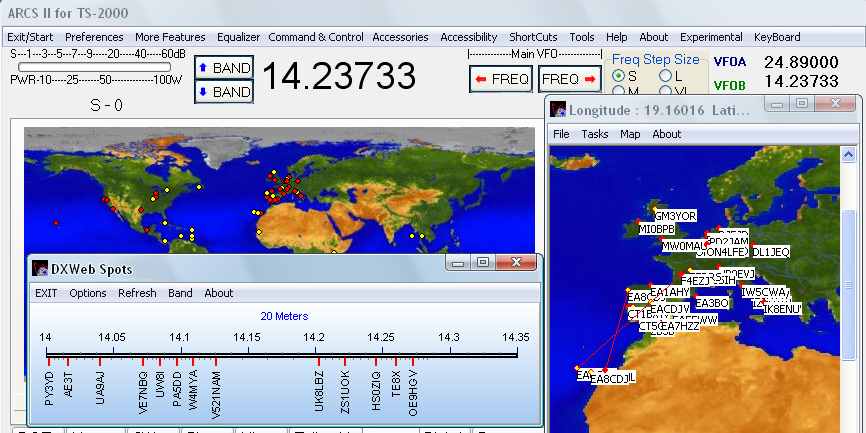
Some of the DX 'toys' on ARCS II version 1.44
ARCS, by default, uses Kenwood's Auto Information function to communicate with the TS-2000. However, you can choose to not use it. Users may have USB "ham" type interfaces that monopolize the TS-2000's RTS pin. Other software using the RTS at the same time ARCS is running precludes the use of Auto Information. However, AI can be turned off with some performance degrades. ARCS has both AR-Cluster and DXSpider access to Internet DX Servers. It has an APRS module.
Update of ARCS II with the installer preserves registration, callsign and other files and recognizes your operating system automatically. Make sure you install the latest version of ARCS into the same directory where you installed your previous version. Win7/Vista users, make sure you use the installer to install ARCS to the correct directory...read the hints in the installer messages (Xp users can use the default setting in the installer).
The software is usable with Win 7 32 and 64 bit. The PSK module works with 64-bit OS. I appreciate comments and reports.
Download link for both ARCS II 2.0 and ARCS II 1.44 is below:
ARCS
II
is a free CAT program using the advanced features of the TS-2000
to do things the commercial ARCP-2000
software can not. The software is designed for Windows 95 and
above. Some features only work in Windows 98 and above. Most of ARCS's
features work with LINUX if used in conjunction with the WINE
Windows simulator. WINE users may have difficulties if they have
a 64 bit OS. Mac users reportedly can run the software with the
appropriate software to run Microsoft Windows on a Mac.
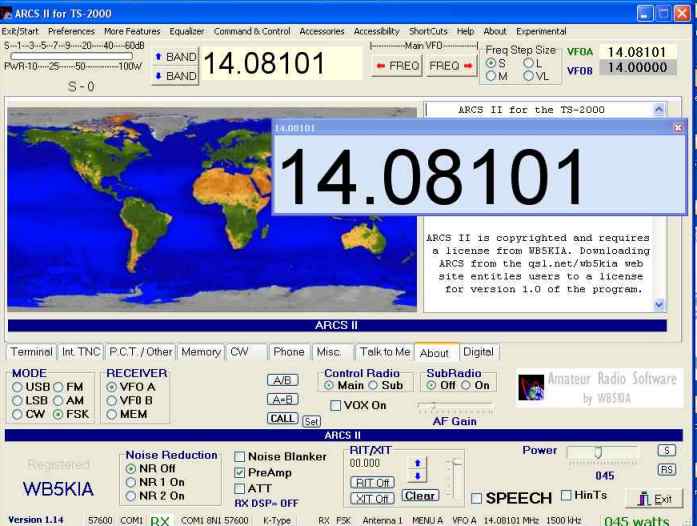 ARCS II main
panel with large digital readout selected (move it anywhere you
want) shown on an Xp PC.
ARCS II main
panel with large digital readout selected (move it anywhere you
want) shown on an Xp PC.
A simple logger, the full featured DXWeb access to Internet DXClusters (see image below), 'custom' DSP Equalizer filters, CW Keyboard, Voice Keyer/Recorder and PSK are included. FSK is available. Monitor APRS activity version 1.31 and higher.
ARCS has features for the visually impaired. Keyboard short-cuts and vocalized drop down menus are provided for many functions. Microsoft artificial speech announcements are available for PCs where the SAPI 5.0 has been installed and vocal commands can be used if SAPI 5.1 is installed. Windows Xp has the SAPI 5.0 and some versions of Windows 98 and later may also have it. VISTA/Win 7-8 has SAPI 5.3 and if properly configured, works fine.
A separate module for PSK communications is included in the 2.0 install. ARCS PSK only works properly in conjunction with ARCS. Hopefully a problem with the decimal point on systems that use a comma (,) as a decimal seperator has been fixed in this version.
Win7/8 provides some interesting programming challenges, if you are having problems with audio features in Vista/Win7/Win8, you may have to do this:
Microsoft does not make all things visible to the naked eye. Open your Microsoft sound properties box by right clicking on the sound [ speaker ] icon in your taskbar. This opens your sound property box. In the tab list of menu options, select " recordings " this displays a list of all audio devices. If you do not see the " Stereo Mix " display , find a blank area in the display area, and right click on that area. Two options should appear. " Show disabled devices and show disconnected devices. " Click a check mark in both boxes then click apply, OK and close. You now should have the stereo mix icon and your record from sound card enabled and have access to audio features that may have been crashing your PC. However, this does not always work; I have a Gateway laptop where Stereo Mix is evidently not available at all on a Vista PC.
A separate Beta module for FSK communications is available for the 1.44 install. ARCS FSK only works properly in conjunction with ARCS. ARCS FSK is available as a separate download. The module is in the early stages of developement. Presently only FSK TX/RX functions are supported. This software is designed primarily for FSK with the TS-2000 but will probably also support AFSK when finalized (see below).
The license for ARCS II 1.0 and 2.0 is FREE. The installation file will install ARCS II to the directory of your choice. The default directory for installation is C:\ARCSII . A free registration entitles you to some additional features including Command and Control (on version 1.44 only), Satellite functions, and capturing radio settings. Most of the program's features are usable without registering. See the "Why register?" comments below.
User Input
The most frequently requested ARCS future feature is to make the ARCS main screen fill the entire screen. Sorry, it will not happen. The screen is designed to work with several helper programs. Making the program fill the entire screen will not make any of the controls or type face larger. To do that I need to completely re-engineer the entire interface.
A large number of user ideas are incorporated into ARCS and its satellite modules. When making a request for a new feature, please tell me why you think the feature would be worthwhile. Please keep the ideas coming.
Other Amateur Radio Software
Go to Amateur Radio Software by WB5KIA Main Page
Download ARCS II from the section below.
THIS IS NEW 28 November 2013
Amateur Radio Control System II for the Kenwood TS-2000 -- ARCS II Version 2.09
Copyright © 2005-2013 Stephen J. Gradijan, WB5KIA
Cost: License for ARCS II 1.0 and 2.0 is free. The software does not require a registration password but may be registered to use some of the optional features.
ARCS
II
is a CAT program that controls most of
the features of the TS-2000. ARCS Log II is both a normal logger and a
logger for the
visually impaired. (Accessibility>ArticulateLog will disappear in
the next ARCS version). Styles now change immediately; you do not have
to change the style, close the application and restart. The antenna
status on the status bar correctly indicates whether Antenna 1, 2 or
VHF. Other cosmetic changes. Although a new ARTICULATE logger was
designed, it will not be implimented, rather the regular logger is
being enhanced (ARCS Log II). The ARCS Log logbooks are not be
compatible with the NEW ARCS Log II database. To convert existing dbf
to cds logs, first create an ADI file using ARCS Log, transfer the
resulting adi file to the ARCS Log II KIALog2/logbooks folder. Once
in the KIALog2/logbooks folder, use ARCS Log II to convert the adi file
using Maintenance>Create/Convert tool into a ARCS Log II compatible
cds logbook. The logbook is compatible with ARCSLog II or ARCS III.
The database used in ARCS II ARCSLog is directly compatible with ARCS
III logs.
The PSK program is linked to ARCS II and ARCS PSK must be running for all the features of ARCS PSK to work.
DXWeb is accessed using the ARCS II Accessories toolbar Menu.
Download
ARCS
II 2.0 here download Version 2.09 (11.0 Mb install
file is called arcssetup209.exe ..this is the latest version of ARCS).  not a link - you need to
type it.
not a link - you need to
type it.
ARCS II 2.0 does not contain the Command and Control functions. APRS functions will not be reinstated but will reappear as a separate application. If you need the APRS module or Command and Control, please use version 1.44 below or download the separate ARCSaprs. I try to test everything, unfortunately I can not, so if something does not work, let me know and it will be fixed in 2.08.
Download
ARCS II 1.0 here download Version 1.44 (6.2 Mb install
file is called arcssetup144.exe This is an older version of ARCS that has Command and Control features and an APRS module built-in).  not a link - you need to
type it.
not a link - you need to
type it.
ARCS providess the capability of switching on/off the Auto Information feature on the radio.
Before you use ARCS II for the first time-
1. Connect your TS-2000 and PC with a short serial connecting cable (NOT a null modem).
2. Turn your radio on.
3. Turn MENU item 56 on the TS-2000 to 57600 bps.
4. Turn your radio off. This should ensure the correct communication speed is set on the radio. Turning the radio off is important.
5. Wait a few seconds, then turn the radio back on.
6. Load ARCS II
7. Do not use the START button yet!
8. From the start screen, set the COM port and speed from the Preferences MENU. Baud must agree with the radio and should be 57600. The Hardware Flow Control setting must also be selected. The Preferences toolbar MENU (Preferences>Serial Port / Baud) is used to set the COM port. SAVE to make the changes or EXIT to retain the existing choices. Many new PCs do not have COM ports. You will need an USB/Serial adaptor. Most likely, Windows will assign COM3 as a port. If you have a regular COM port, it is most likely the port will be COM1.
9) The TS-2000 MUST be turned on and connected to to the PC with a serial cable before you run ARCS and attempt to set the serial port you will use to communicate with your PC. The default port is COM1, if you use that port with a regular COM port, you can eliminate Step 8. USB/Serial users, please note: ARCS 'saves' the last used COM setting; if you unplug your USB/Serial between operating sessions, you may have to adjust your preferences the next time you use ARCS. ARCS remembers, Microsoft Windows 'selects' a COM assignment every time a USB/Serial is plugged-in and replugged. Consequently, the port assignment might get 'lost.'10. Run ARCS II as described in the right hand panel of the ARCS II start-up screen.
Be aware: ARCS II may not be usable with RigBlaster if RigBlaster's RTS line is hooked up and the Kenwood AI mode is turned on (see below). ARCS uses this line and can not share it with another program unless the AI is turned off (see below). Some of the latest USB all-in-one adapters for use with PSK etc. may not work either. Microham's USB Interface will not work if you connect the RTS PTT using the same port as the radio. There are work arounds--see below. Not having any of these devices, I don't know what other pitfalls exist. What I have works great using a normal COM serial port or my two USB/Serial adapters.
ARCS users can use RigBlaster and other USB adapters made for Ham radio that monopolize the radio's RTS line if the AI is turned off using ARCS. To toggle the AI, go to Preferences > Toggle TS2000s Use of RTS.
New Features:
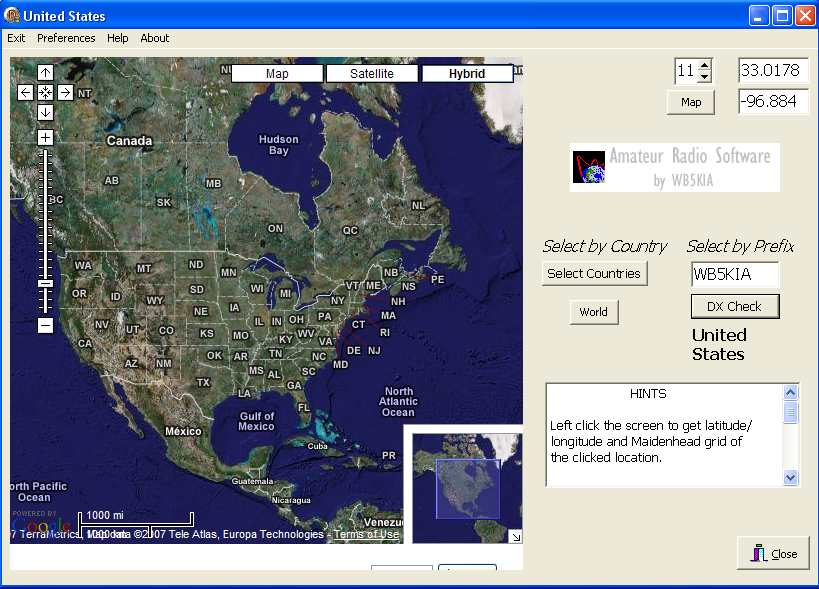 DX
Google Maps - an Internet connection is required.
DX
Google Maps - an Internet connection is required.
Version
2.09 includes MS Translate. MS Translate helps translate Amateur
Radio technical talk and converstation. The tool is experimental
and requires an
Internet connection for some functions. Look in the Toolbar MENU
Tools. The program doesn't perform miracles though it
understands quite a few radio "technical" terms. The new and old
logers are still both active. I received little input
regarding the new logger's performance so assume it is running
properly. The old logger and Articulate logger will no longer be
part of the control suite starting with the next version of the
software. Cosmetic adjustments were made to some screens.
Version
2.08 Styles now change immediately; you do not have to change the
style, close the application and restart. The antenna status on the
status bar correctly indicates whether Antenna 1, 2 or VHF. Other
cosmetic changes. Although a new ARTICULATE logger was designed, it
will not be implimented, rather the regular logger is being enhanced
(ARCS Log II). The ARCS Log logbooks are not be compatible with the
NEW ARCS Log II database. To convert existing dbf to cds logs, you
will have to first create an ADI file using ARCS Log, transfer the
resulting adi file to the ARCS Log II KIALog2/logbooks folder. Once
in the KIALog2/logbooks folder, use ARCS Log II to convert the adi file
using Maintenance>Create/Convert tool into a ARCS Log II compatible
cds logbook. The logbook is compatible with ARCSLog II or ARCS III.
The database used in ARCS II ARCSLog is directly compatible with ARCS
III logs.
Version 2.05 The
Internet U.S.Callbook was improved. Sliderule Dial bug fixes and
enhancements. DXSpider bug fixed: DXServer no longer loses lock
when PC goes into 'sleep' mode. Memory Select bug where S meter
would stop working after selecting multiple memories was repaired.
Other small bugs fixed. Added Internet links in the About MENU to
link to ARCS News and to check for the latest version of the software.
Major changes are being made to the ARTICULATE logger option -- during
transition the regular ARCSLog database will not be compatible with the
NEW Articulate Log database. To transfer logs, you will have to
first create an ADI file, load it to the other software and create a
'new' logbook for ARCSLog or Articulate log. The database use in
ARCS II will become directly compatible with ARCS III. The new
Articulate will be available in version 2.06 or later.
Version 2.04 'Full Screen' of the main screen is available as an option (Tools>Full Screen). Although not totally full screen the main form will fill the height of your monitor display. Separate tools to change soundcards are provided; one for Xp PCs, the other for Vista and up. The Xp soundcard tool works fine, the other tool may not work as expected with some soundcards. Why the tool? To help users of the PSK module and scope tool with multiple soundcards installed to use the installed soundcard of choice. Small appearence changes were made. Autoscroll in the DXSpots window of DXSpider was fixed.
Version 2.02 The
audio scope tool ARCSScope is available again. Speech is
implimented; Command and Control (the ability to 'talk' to the radio)
is not. Graphical and speed improvements were made using the latest
Delphi compiler as a result of bug fixes in the compiler yet
again. Some 'original' ARCS functions are still disabled in this
version. Most functions veteran users are used to having along
with more 'toys' should become available in the coming months. The
basic APRS is ready, however, in the future, the APRS functions
will be moved to a separate application. A GPS tool
is being added to the APRS software to allow use of GPS units like
Etrex and Microsoft GPS in conjunction with the software. A GPS
devices will provide automatic positioning information to ARCSaprs
packets. The
new APRS software is expected to be released in November or sooner. A
small change was made to ARCSpsk which should eliminate a decimal
separator issue that affected users whose PC use a ',' as a decimal
separator. The vast majority of users are not affected.
Version 2.00 includes a major facelift and performance improvements. Several standard functions from previous versions were removed. Hopefully the functions will reappear in a future version. Command and Control speech recognition has been deleted and may not return. Users requiring the capability to use voice control capabilities should download version 1.44.
Version 1.44 includes more changes to the DXWeb Cluster module including spotter to DX Great Circle path plots, improved map updating and more error control. a problem that occurs only if a DXSpider server is inactive was fixed. WARC bands added to the Sliderule Dial and put it a new location.
Version 1.42 is more forgiving if your hardware settings are not set up correctly and if the radio is turned off before the software is closed. Yes, more error handling in various parts of the software. Significant changes are made to the DXWeb Cluster module including viewing the spots in "3D," more options and new maps. DXWeb now attempts to access the Internet immediately on loading (this might cause problems if the default DXSpider server is inactive for any reason). A keyboard-shortcut allows antenna tuning without going to the Antenna form (Ctrl+Alt+A tunes, Ctrl+Alt+O takes the tuner offline); changes were made as how the tuner works with software control.
Version 1.41 updates the Audio Scope and allows it to be used on Vista/Win7 PCs. Small changes are made to the DXWeb Cluster module. The version fixes a bug on HF Amp settings and provides improved error control. ARCSpsk runs with Win7 64-bit and other 64-bit OSs. Addresses several small bugs and screen enhancements throughout the software.
Version 1.40 added more toys to the DXCluster interface, fixed bugs in the main interface and adds a feature to the About panel called Dashboard to directly access the DXWeb module minimized. The installer now installs the third-party DLLs needed to run ARCSpsk and ensures they get in the proper directory on Win 64-bit operating systems. The MENU on the Windows Task Bar allows selective use of ARCS components (right-click).
Version 1.39 made significant changes to the DXCluster interface, fixed bugs in the GoogleMap interface, made stability improvements and fixed bugs affecting Win7 operation.
Version 1.38 added improvements to the DXCluster interface, adds a separate Callbook interface and fixes various bugs throughout the software.
Version 1.37 improved the Remote Control panel for experimentation and an improved PSK interface, fixes a few bugs in the Packet panel and has a slightly modified graphic interface.
Version 1.36 added a logger for the visually impaired (Accessibility>ArticulateLog). Version 1.19 introduced TS-2000 users to DX Google Maps. Version 1.40 includes limited capability for a TS-480, a "SlideRule" dial frequency tool, digital frequency input, Terminator, a grayline tool and an extra COM port control. The software has a Repeater panel and a tool to import frequency lists (lists as provided in TravelPlus, in CSV format or using tab delimited files). Tab delimited or CSV repeater frequency lists are available from several sources. The file handling is flexible and can import lots of different files). ARCS has an enhanced Audio Spectrogram, main panel control of the SubRadio (provided the SubRadio is set as the Control radio ) and other small improvements throughout the program. It was compiled using Delphi Professional 2007.
The DXWebs, in addition to A DXSpider module, includes an AR-Cluster module, a tool to modify MENU settings from a single page, an APRS module to use in conjunction with the radio's built-in TNC and enhancments to the simple Logger is part of Version 1.0.
A Subradio "S"meter is on the main form.
A digital frequency entry system requested by several users is available as is the use of "sliders" to change frequency.
An 2k0 memory file import/export is included. This tool to import the files generated by Kenwood's free memory management tool appears stable on my system. Get to it in the TOOLS Menu.
Terminator is a grayline module to the software..click on the world map.
I do not have a Vista PC to try out the code. Based on users reports, ARCS II works fine running on XP and Win 7 and Win 8.
Important
- All previous users: Vista's
and Win7/Win8 security features require ARCS II
be installed in a directory other than the Program Files
directory unless one is logged in as administrator. The default install
directory for all users from version 2.05 on
is C:\ARCSII\ . The software no longer installs in
the "Program Files Directory" on the C drive by default. The installer
will/can install the latest version over your
existing version of ARCS II
if you install it to the same directory you installed a previous
version. The install
does NOT overwrite
the following files: arcsreg.cfg,
ARCS.cfg, memorylist1.cfg, and ARC2.cfg so you won't loose
configuration information.
The install creates a link in the Windows START MENU. If you want a Desktop Icon Shortcut, check the appropriate box during the install process. Please read the install messages that are part of the install process before you run the software. Significant changes etc. are identified.
"TS-2000 CAT Software" Compared. No software will do everything. Everyone has their favorate programs based on their operating preferences. All of this stuff works.
|
|
Regarding single cable/PTT: RigBlaster can apparently be used with several of these programs to provide this feature using the RTS line. ARCS II is not usable with RigBlaster if its RTS is hooked up since ARCS uses this line and can not share it with another program. You should be able to use RigBlaster by switching ARCS II into AI off mode (see above).
Command and Control is available in version 1.xx of ARCS but not in version 2.xx.
If anything is not correct in this table, please let me know and I will revise it. Thank you.
* Command radio with voice commands
** Monitor transmit and received audio quality on a 'scope'
++ Uses the internal cw keyer so there is no hesitation with Win Xp systems. No need for Winkey etc.ARCS II does not use a separate port for CW. Only the cable to the radio is needed.
It includes a small TNC controller terminal program.
Soundcard programs that can be used with the TS-2000 and any PC using a hardware interface for audio with the headphone jack or acc2 sockets (some have features that use COM ports) include:
Hamscope: PSK, CW, RTTY etc. * http://www.qsl.net/hamscope/
AGW: soundcard TNC * and ** http://www.elcom.gr/sv2agw/agwpe.htm
Winwarbler: PSK * http://www.dxlabsuite.com/winwarbler/
UI-VIEW: APRS program
MMTTY: RTTY - AFSK/FSK * http://mmhamsoft.amateur-radio.ca/
VARITTY: PSK and RTTY * http://mmhamsoft.amateur-radio.ca/
Spectram: Audio Spectrogram *
CW Get/ CW type : rX CW, send CW * /** respectively
CW Decoder : Send/RX CW :requires COM interface.
and lots more. Everyone has their favorites.
*Freeware
**Shareware
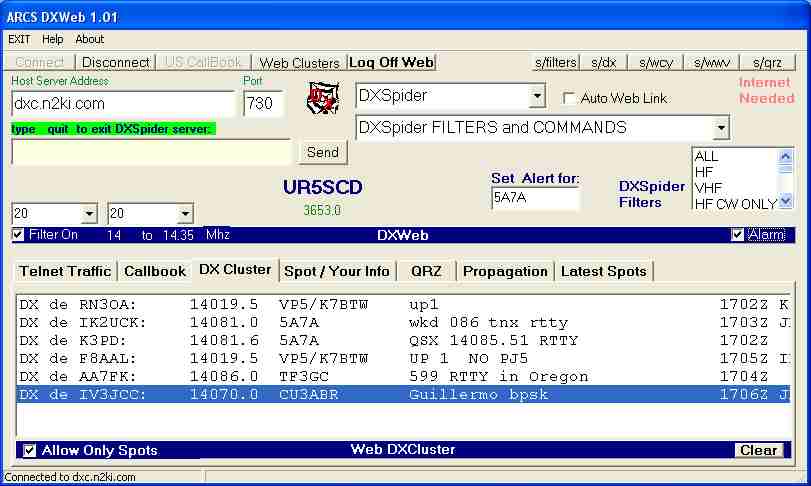 ARCS
DXWeb provides Web based DXCluster information from dozens of Web
sites - select the site that is best for you.
ARCS
DXWeb provides Web based DXCluster information from dozens of Web
sites - select the site that is best for you.
The Command and Control feature works only on registered versions of the program. Registration is free and described in the About menu on the software and below. You MUST have the Microsoft SAPI 5.1 installed on your PC to use the C&C feature. To find out if your PC already has the SAPI 5.1, go to Start -> Settings -> Control Panel. If you have a Speech icon on the Control Panel and clicking on it indicates Microsoft English Recognizer v5.1 or v5.0, you have SAPI 5 . If you do not have SAPI 5.1 and you have a fast Internet connect, see the Help file to find out how to install all the SAPI features on your Xp or Windows 98 or later version of Windows. Note that some versions of Xp might not support the voice recognition; in that case you will NEED to install SAPI 5.1 described in the ARCS II Help. Vista users already have Microsoft english Recognizer v5.3; Win7 also already has a Recognizer.
Registered Users
Why
register? The software license is free and you can use almost all
the features without registering. I get no compensation other
than the knowledge some operators feel the program is useful. If ARCS
has lots of users, I have an incentive to improve the program.
The "reward" to registered users are a few additional,
hopefully useful features. If you want to register ARCS
II; send an e-mail with the words
"ARCS II" in the subject line and your callsign in the
message text to the following e-mail address: ---this is not a link,
you need to type the e-mail address. You will receive
a registration key and instructions for using it to enable
additional program features. I do not make mail lists or send out
emails. There is no charge for registration. What are you waiting
for?
ARCS II registered users may use Command and Control with version 1.44 only to provide voice control of over 27 basic functions of the TS-2000. You can talk to your radio and it responds (Microsoft SAPI 5.1 or higher is necessary to use the voice commands.) ARCS version 2.0 does not have the speech recognition feature although it does 'speak' to you in response to keyboard commands.
Registered users can experiment Equalizer settings, with APRS (only with version 1.44 ) and its graphics, the satellite functions of the radio or capture a few current radio settings to the ARCS memory database. These features are in development, read the HELP file before you try to work with it - The operation of these tools is not intuitive. If something does not work or could work better please let me know. The satellite operating features include the ability to change the satellite frequencies from the PC.
Registration is FREE. I do not send unwanted e-mails or sell e-mail addresses . Registration allows you to unlock several features in the program and tells me people are interested in the software.
ARCS II works VERY well with my TS-2000. I have used it with four different PCs (including a laptop), two different TS-2000s, an USB to serial interface( though a regular serial COM port is faster) and several soundcards. It works with Pentium, Celeron, Athlon chips and even with my Compaq laptop. I have used it on Windows 95, Xp and Win7 64-bit. It reportedly run wells on Linux PCs when it is used with the WINE simulator. I hope it works with your equipment but if it does not, please let me know. Some USB/serial adapters do not work with it but plenty of them work just fine.
New features were added to the latest version of ARCS II. As I add features, it is possible they might interfere with existing features. If Version 2.0 does not respond as expected, PLEASE send me error reports and comments. I fix stuff as I become aware that it is a problem but can only do that if users let me know there is a problem.
--- 73, Steve, WB5KIA
Requirements
ARCS and VISTA/WIN7/WIN8: AE5AU reports he is "running Vista and found that I had to run the application as administrator for it to register. Without, it wasn't even creating the registration file in the ARCS folder. Right-click Run As Administrator and it worked no problem."
You must run ARCS as administrator if you install it into the default folder using the ARCS Installer (which is C:\ARCSII). Most users have no trouble with these operating systems and all issues brought to my attention to date have resulted from mistakes in installation and configuring and in a few cases, due to problems with unsuitable or malfunctioning USB/serial adapters.
Be aware: ARCS II is not usable with RigBlaster if RigBlaster's RTS is hooked up unless ARCS is used to disable the Kenwood AI function. In this instance RigBlaster should work fine. ARCS in default mode uses the RTS line and can not share it with another program.
You need a serial cable to connect the PC and TS-2000. Make sure the cable is a straight serial cable and NOT one used to interface two PCs (null modem). Several connections are crossed in a null modem cable and, as expected, null modem cables will not work. The Help in the program has a detailed explaination of this. If your PC does not have a COM port (many new laptops do not), you will need a USB/Serial adaptor described in the "Cables 101" Help file or you will need to install a PCI COM card or whatever flavor is required by your PC.
An audio cable is needed to use the audio spectrogram tool to monitor xmit/rcvd audio (the set-up you might use with PSK should be fine.) Use isolation transformers if this is a homebrew interface to protect your expensive equipment. The audio cable is not essential, over 95% of the program's features can be accessed without the soundcard audio connection. The minimal hardware you need to use PSK and monitor audio is also explained in the Help that comes with the software.
Antivirus programs like Norton Anti-Virus and McAfee and antiSpy programs like Spysweeper are VERY CPU intensive. If you have an occasional problem with ARCS II, it might be caused by one of these programs. Spysweeper checks the system every 20 seconds and uses almost all my CPU capacity and lots of memory. It does not crash my system but it might crash systems on older PCs or systems with less than 512 Mb memory. You may want to consider disabling Spysweeper or your virus program while ARCS is running. Of course, if you are on the Internet too, you should keep Norton etc. on at the expense of poorer performance.
Some Features:
Memory Keyer Settings
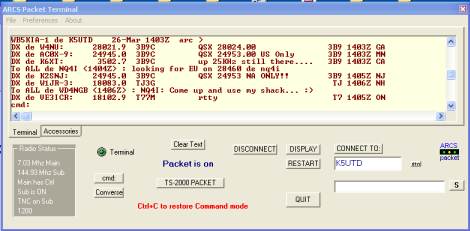 Internal TNC controller
Known Limitations:
THIS IS
NEW 17 September 2012
ARCS PSK 1.04 [this version is included with the ARCS II version 2.00 above.]
PTT is available on a second COM port, otherwise VOX works great. You must be careful to select the correct port when using the configuration in ARCS PSK for PTT. The program does NOT check for ports in use. If you pick the same port that is being used for ARCS II, that situation could cause a program crash.
WORKS with Win 7 32-bit and 64-bit PCs
ARCS PSK is a two channel PSK program designed to make the most of the capabilities of the TS-2000, especially the sharp filters.
A second COM port is required to key the PTT line. A second COM port is not needed if you use VOX to control transmit and receive. VOX is NOT supported on the TS-2000 ACC2 connector lines. In order for the TS-2000 to accept audio via ACC2, the PTT must be engaged via the ACC2. Keying the rig using the PTT "buttons" on ARCS does not allow audio to pass through the ACC2. A second comport (or USB/Serial converter) is required for PTT.
ARCS PSK starts from ARCS II. The PSK HELP file is accessed from ARCS II (along with the help files for other program modules).
Previous versions of ARCS PSK did not work properly with 64-bit Window versions . This version one works fine on Win7 Professional 64-bit and 32-bit. If it has problems with your system, please let me know.
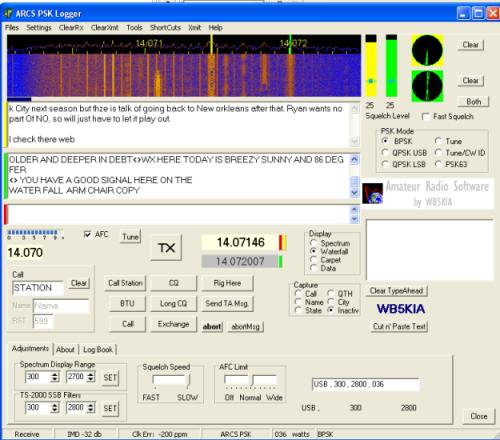 old ARCS
PSK panel
old ARCS
PSK panel
THIS IS NEW 29 April 2007
ARCS FSK 0.91 BETA [this version is usable with the ARCS II version 1.44 download above but may not work properly with VISTA/Win7/Win8 on some systems and version 2.0.]
Download
ARCS FSK 0.91 here download Version 0.91 (0.6 Mb zipped
file is called arcsFSK.zip). If the download does not work, it
means the beta has been temporarily withdrawn to fix things. ARCS
FSK might not work with VISTA/WIN7/WIN8
in some circumstances. Please report problems. Note, none have been reported in over a year.
Thanks for testing this Beta version. Be aware that version 0.91 is the latest version and the software is not included with ARCS II . You will also need to download MMTTY and place the MMTTY.EXE file in the arcsFSK folder to get ARCS FSK to work (see the ReadMeFirst file included in the download). MMTTY reportedly has issues with Windows Vista, consequently ARCS FSK may have similar issues.
Please report any problems using the program to transmit.
ARCS FSK is a FSK program designed to make the most of the built-in FSK capabilities of the TS-2000. It is based on the MMTTY engine. ARCS FSK has its own screen and features.
Why FSK?
Only reception is supported at present for AFSK. Some users may be able to get the software to transmit with their version of Windows on FSK. I do not supply support presently. There is a minimal Help file (in the main ARCS program).
ARCS FSK starts from ARCS II. The FSK HELP file is accessed from ARCS II (along with the help files for other program modules).
page updated 10 November 2013 .